Ultrawide vs 16:9 for Competitive Gaming: Which Wins?
Published
On this page
For pure competitive FPS, 16:9 is the right choice; a 21:9 ultrawide wins for immersion and mixed single-player use. Nearly every esport is built, balanced and played on 16:9, and many competitive games crop or letterbox an ultrawide instead of giving extra view — while ultrawide costs frames and pushes your HUD toward the edges. This guide covers what actually differs so you pick by the games you play, not by the widest panel on the shelf.
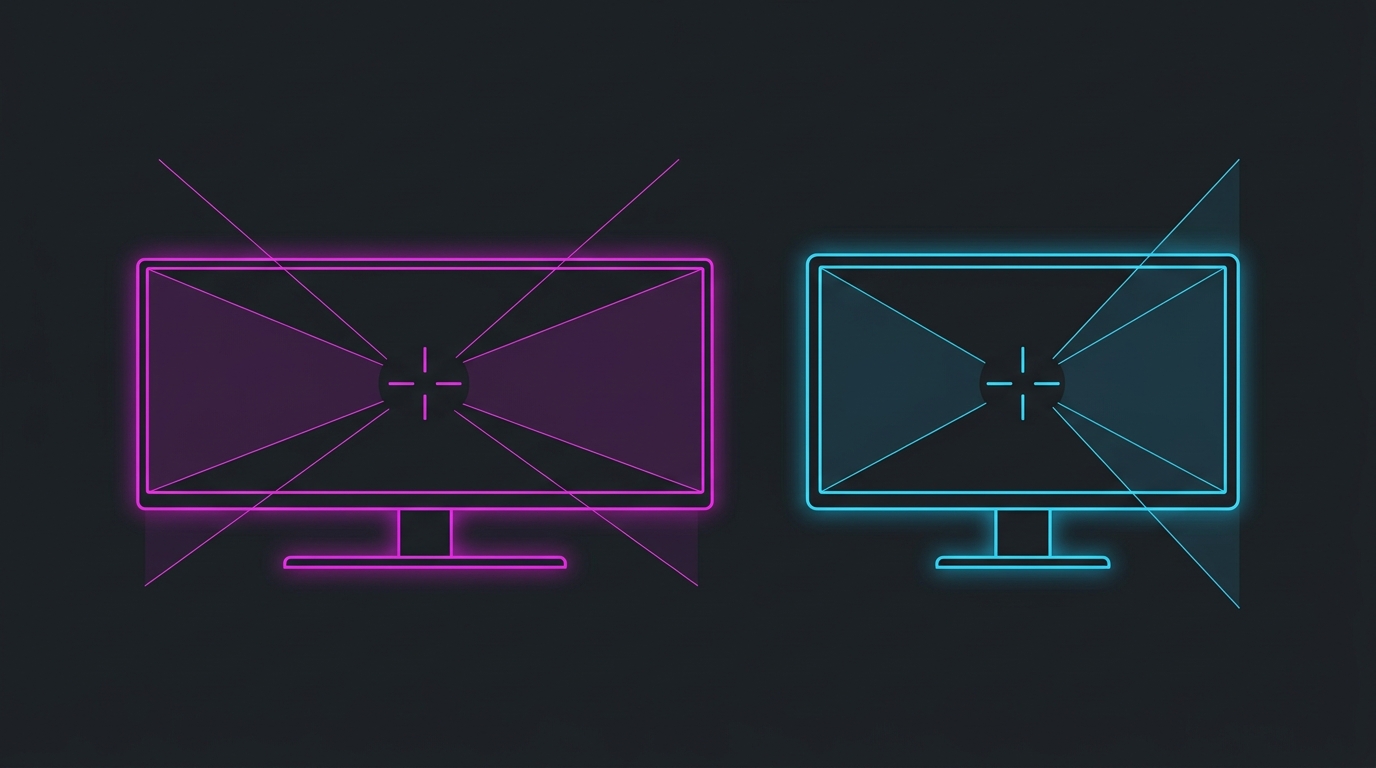
16:9 is the competitive standard; ultrawide is the immersion and mixed-use pick — and support varies game by game.
Ultrawide vs 16:9 at a glance
| Factor | 21:9 Ultrawide | 16:9 Standard |
|---|---|---|
| Competitive esport support | Partial — many games crop or letterbox | Universal, tournament standard |
| Field of view | Wider if the game supports Hor+ 21:9 | The FOV every game is balanced for |
| HUD / minimap position | Pushed toward far edges | Inside central vision |
| Frame-rate cost | ~33% more pixels than 16:9 at same height | Baseline (easiest to sustain high FPS) |
| Immersion (single-player, sim, racing) | Excellent | Standard |
| Input lag from aspect ratio | None | None |
| Best for | Immersion, mixed play, single-player | Pure competitive FPS |
Field of view: it depends on the game
The whole appeal of ultrawide is more horizontal view — but whether you actually get it is entirely a per-game question.
- Hor+ (horizontal-plus) games add view to your left and right on a 21:9 panel. This is the genuine ultrawide win, common in single-player, racing and sim titles.
- Vert- (vertical-minus) games keep the horizontal FOV fixed and remove top and bottom instead, so 21:9 shows a cropped letterbox with no extra useful view.
- Locked / unsupported games letterbox the image with black bars or explicitly restrict ultrawide FOV to keep competitive play fair.
Valorant and CS2, two of the biggest esports, render 16:9 and pillar/letterbox an ultrawide — you gain no competitive view. Always check a specific game’s 21:9 support before buying for it. Note this is the opposite trade-off from stretched resolution, where players deliberately narrow the view to make targets bigger.
The frame-rate cost
Ultrawide isn’t free on your GPU. A 21:9 3440x1440 image is about 33% more pixels than 16:9 2560x1440, so a card that holds 240 FPS at 1440p 16:9 will give up roughly that much at the same panel height in 21:9. For high-refresh competitive play where you’re chasing every frame, that’s a real penalty. If you’re weighing the pixel cost of a resolution jump generally, the 1080p vs 1440p and 1440p vs 4K guides work through the same GPU-load math.
HUD, eye travel and central vision
On a 16:9 panel at a close desk distance, your crosshair, minimap, ammo and the screen edges all sit inside central vision — less eye travel between them. A wide 21:9 screen spreads the HUD toward the far left and right, so you either move your eyes more or lose track of peripheral information mid-fight. This is the same central-vision logic behind why pros favour smaller 24-25 inch panels — the whole playfield stays where your eyes already are.
What aspect ratio does not change
- Input lag. Aspect ratio is not part of the latency chain — panel processing, refresh rate and your frame pipeline are. See response time vs input lag.
- Your sensitivity. The same cm/360 turns you the same amount on either aspect ratio. Keep your eDPI identical if you switch.
- Refresh rate and panel quality. Those are separate specs you choose independently — an ultrawide can be a fast OLED or a slow VA just like a 16:9 can.
When ultrawide is the right pick
- Your main games are single-player, RPG, racing or sim titles with true 21:9 support.
- You value immersion and desktop real estate over maximum competitive frame rate.
- Your GPU has headroom to absorb the ~33% pixel cost at your target refresh rate.
- Competitive FPS is a secondary, casual part of your play.
When 16:9 is the right pick
- Competitive FPS (Valorant, CS2, Apex, Fortnite, Overwatch 2) is your main game.
- You want the FOV, HUD layout and balance every esport is actually built around.
- You’re chasing 240Hz+ and want the easiest resolution to sustain high FPS.
- You want to practise on the same aspect ratio used on tournament stages.
An ultrawide is a fantastic all-round and immersion monitor — it is simply not a competitive-FPS advantage in the games that matter, and often a mild disadvantage on support and frame rate. Buy it for the experience, not for ranked.
Don’t decide on aspect ratio alone
Aspect ratio is one display decision among several. Get the higher-impact ones right first:
- Refresh rate — the biggest felt upgrade. Is 144Hz worth it vs 240Hz?
- Resolution — the frame-rate decision. 1080p vs 1440p.
- Panel type — motion and contrast. OLED vs IPS and IPS vs VA vs TN.
- Size and aspect ratio — eye travel and field of view. 24 vs 27 inch and this guide.
Whatever you pick, the display is the last link in the chain. Tune the pipeline behind it: how to optimize your monitor for gaming, then how to minimize input delay for competitive gaming and the timer resolution pillar guide.
Related guides
Frequently asked questions
Is ultrawide or 16:9 better for competitive gaming?
16:9 is better for pure competitive FPS, and ultrawide is better for immersion and mixed use. Nearly every esports title is built, balanced and played on 16:9, tournament stages use 16:9, and some competitive games crop or letterbox 21:9 rather than give extra view. Ultrawide adds horizontal field of view and immersion that shine in single-player and sim games, but it costs frames, pushes HUD elements toward the far edges, and isn't a competitive advantage in the games pros actually play. Neither aspect ratio changes input lag by itself.
Does an ultrawide monitor give you a wider field of view in games?
It depends entirely on the game. In titles with proper 21:9 support and Hor+ scaling, an ultrawide genuinely shows more to your left and right. But many competitive shooters use Vert- scaling or hard-lock the horizontal FOV, so a 21:9 display either crops the top and bottom or adds black bars instead of extra view — and a few explicitly disable ultrawide to prevent an unfair advantage. Always check per-game support before buying an ultrawide for a specific title.
Why do competitive gamers and pros use 16:9?
Consistency and universal support. Every major esport is developed and balanced around 16:9, tournament stages standardise on 16:9 24-25 inch panels, and 16:9 at 1080p is the easiest resolution to sustain at 240-360+ FPS. Pros practise on what they compete on, and a 16:9 screen keeps the whole playfield and HUD inside central vision at a close desk distance. The extra pixels of an ultrawide mostly cost frame rate without adding a competitive edge.
Does ultrawide lower your FPS compared to 16:9?
Yes. A 21:9 resolution like 3440x1440 renders about 33% more pixels than 16:9 2560x1440, so a GPU that holds a given frame rate at 1440p 16:9 will drop roughly that much at the same height in 21:9. That matters most for high-refresh competitive play where you're chasing 240+ FPS. Lowering settings or resolution recovers frames, but the pixel-count penalty is inherent to the wider aspect ratio.
Is ultrawide banned or a disadvantage in competitive games?
It is neither universally banned nor a universal advantage — it varies by game. Titles like Valorant and CS2 render 16:9 and letterbox a 21:9 display, so you gain nothing competitively. Some games with true 21:9 support give extra horizontal view, which is an advantage in those titles. A handful of competitive games restrict ultrawide FOV specifically to keep play fair. Check each game's stance before assuming ultrawide helps or hurts.