Stretched Resolution vs Native: Which Is Better for Competitive FPS?
Published
On this page
Stretched resolution and native resolution each win on different things, and “better” depends entirely on what you’re optimizing for. Native is sharper and proportionally accurate; stretched gives you wider enemy models and a possible FPS bump when you’re GPU-bound. This guide puts them side by side so you can pick based on your hardware, your game, and your preferences instead of following a trend blindly.
The quick definition
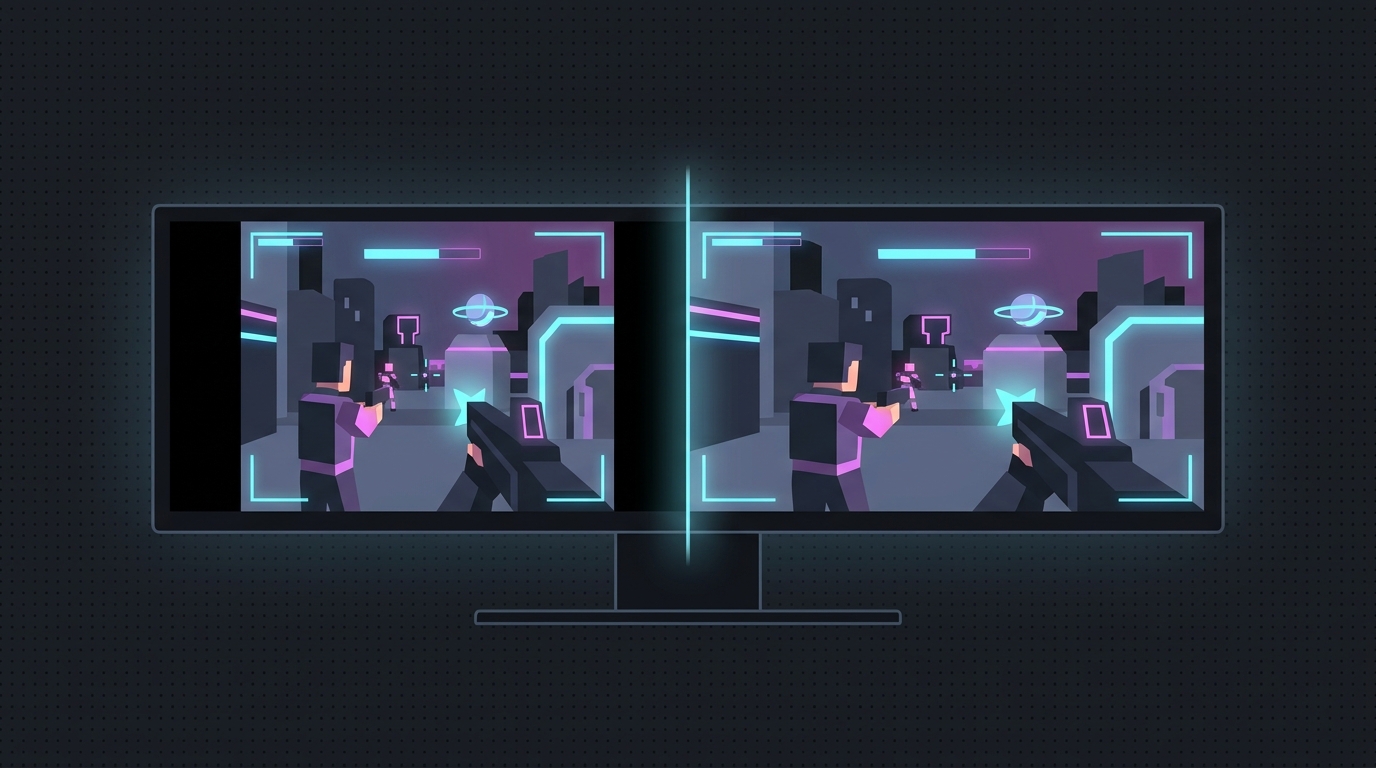
Native resolution is your monitor’s true pixel grid, typically 1920x1080 on a 1080p panel. Every rendered pixel maps to one physical pixel, so it’s as sharp and accurate as the display gets.
Stretched resolution renders a narrower image — commonly 1440x1080 or 1280x1080 — and stretches it horizontally to fill the same screen. Enemy models get wider, the image gets a bit softer, and you render fewer pixels.
Side-by-side comparison
| Factor | Native (1920x1080) | Stretched (1440x1080) |
|---|---|---|
| Enemy model width | Standard | Wider (bigger horizontal target) |
| Image clarity | Sharpest, accurate | Softer, slightly distorted |
| FPS (GPU-bound) | Baseline | Higher (~26% fewer pixels) |
| FPS (CPU-bound) | Baseline | Little to no change |
| Eye comfort / adjustment | Natural proportions | Takes time to adjust |
| Aspect ratio | True 16:9 | Distorted (4:3 source on 16:9) |
| Monitor support | Works everywhere | Needs full-panel GPU scaling |
| Setup effort | None | Custom res + force GPU scaling |
Where stretched wins
- Wider models. This is the headline reason. A horizontally stretched enemy is a bigger left-right target, which can make tracking and flicking feel easier. More on the mechanics in why stretched resolution makes aim feel easier.
- FPS when GPU-bound. Rendering ~26% fewer pixels frees up a maxed-out GPU for a modest frame gain. If you’re CPU-bound at high FPS, this barely moves — see does stretched resolution increase FPS.
- A “zoomed-in” feel some players prefer for reading mid-range duels.
Where native wins
- Clarity. Native is the sharpest image possible on your panel. Long-range pixel-peeking and reading distant enemies is easier when the image isn’t softened.
- Accuracy. Proportions and distances look correct, which matters for spacing, movement, and grenade lineups.
- Zero setup, zero adjustment. Nothing to configure, and no muscle-memory relearning. Some pros who tried stretched went back to native specifically because the distortion hurt their long-range read.
- Universal compatibility. No scaling settings to fight; it just works on every monitor and in every game without letterboxing.
When to pick each
Pick stretched if:
- You’re GPU-bound and want more frames.
- You play close-to-mid-range duels and value wider targets.
- Your game and FOV feel better zoomed in.
- You’re willing to spend a few days adjusting muscle memory.
Pick native if:
- You’re already CPU-bound at high FPS (no FPS upside anyway).
- You rely on long-range clarity and accurate spacing.
- You don’t want to relearn your aim or fiddle with scaling.
- Distortion bothers your eyes.
There’s no universally correct answer — top players exist in both camps. The smart move is to try both back-to-back on your own setup. If you go stretched, the make-or-break step is forcing full-panel GPU scaling so the image fills the screen with no black bars.
How to try stretched without the hassle
Set a custom resolution like 1440x1080 and force full-panel GPU scaling. Not sure which value fits your own panel? The stretched resolution calculator lists every valid stretched option for your native resolution. The full manual process for any GPU is in the universal stretched-resolution guide, and the one-click way to create the resolution and apply NVIDIA full-panel scaling automatically is Tier1Suite. It auto-reverts after 15 seconds if something looks wrong, so testing is risk-free.
Related guides
Frequently asked questions
Is stretched resolution better than native for competitive FPS?
It depends on what you prioritize. Stretched gives wider enemy models and a possible FPS boost when GPU-bound, at the cost of clarity and a distorted image. Native is sharper and accurate but offers no model-width advantage. Many pros prefer stretched; others stay native for image quality.
Does native resolution look better than stretched?
Yes. Native renders one pixel per physical pixel on your panel, so it's the sharpest, most accurate image. Stretched resolution upscales a narrower image across the screen, which softens detail and distorts proportions.
Why would I pick stretched over native?
Mainly for wider enemy models, which make horizontal targets easier to track, and for a modest FPS gain on GPU-bound systems. The trade-off is image sharpness and getting used to the distorted look.
Does my monitor need to support stretched resolution?
Your GPU creates the custom resolution, but the panel must let it fill the screen via full-panel GPU scaling. Most monitors work fine once GPU scaling is forced. Without it you may get black bars instead of a stretched image.