Stretched Resolution vs Black Bars: Which Is Better for FPS?
Published
On this page
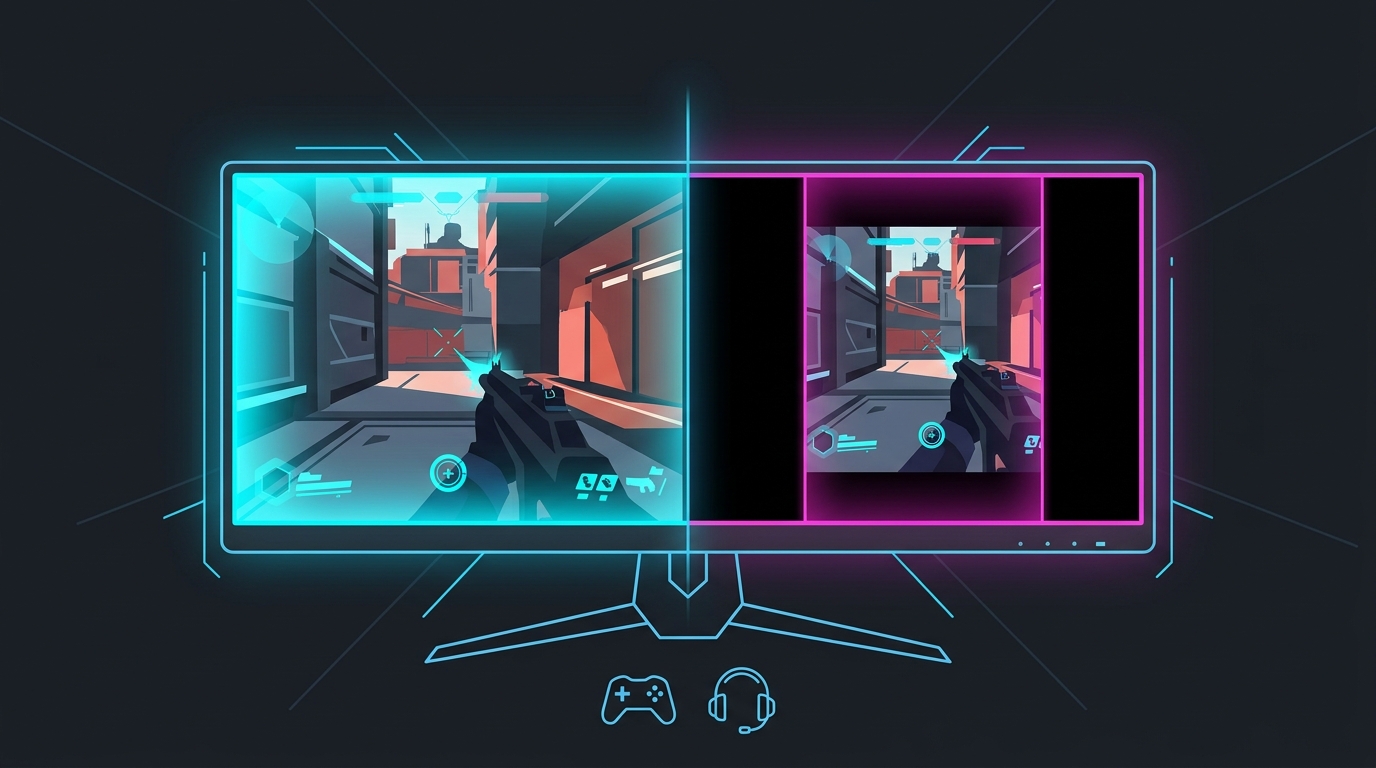
If you run a 4:3 or lower-width resolution for competitive FPS, you get one more choice: stretch it to fill the screen, or leave black bars on the sides. Stretched resolution widens enemy models and uses the whole panel; black bars keep the true aspect ratio and pixel-accurate geometry but waste the sides of your screen. Both raise FPS the same amount — pick between them on aim feel and field of view, not frames.
They start from the same place
Both looks come from running a resolution narrower than your monitor’s native aspect ratio — commonly 1440×1080 (4:3) on a 1080p panel, or 1280×960. What differs is how the GPU or monitor displays that signal:
- Stretched — the image is scaled up horizontally to fill the full panel width. Circles become slightly oval, and enemy models get wider.
- Black bars — the 4:3 image is shown at its true shape in the center, with black pillarbox bars on the left and right. Geometry stays undistorted; the play area is smaller.
Same base resolution, same rendered pixel count, same FPS. The only real difference is the shape of what you see.
Stretched resolution vs black bars
| Factor | Stretched resolution | Black bars (pillarboxed) |
|---|---|---|
| Screen usage | Fills the whole panel | 4:3 area centered, sides unused |
| Enemy model size | Wider than native | True size, undistorted |
| Aspect ratio / geometry | Distorted (oval circles) | Accurate (true circles) |
| Horizontal FOV | Narrower than 16:9 | Narrower than 16:9 (same) |
| FPS vs native | Higher (fewer pixels) | Higher (same as stretched) |
| Aim feel | Bigger targets, full-screen | Native feel, smaller image |
| Best for | Flicking/tracking on a big model | Muscle-memory from native, no distortion |
When to choose stretched resolution
Pick stretched if you want the classic competitive advantage: a wider enemy hitbox that’s easier to flick to and track, and a full-screen image with no dead space. This is what most pros mean when they say they play “stretched.” The trade-off is distorted geometry — it takes a session or two to adjust to slightly squashed vertical proportions.
Getting a clean stretch by hand means creating the custom resolution and setting full-panel GPU scaling on NVIDIA, AMD or Intel, then forcing exclusive fullscreen. Tier1Stretch does that in one click and auto-reverts if the display doesn’t take it, which avoids the usual black-bar and reset headaches.
When to choose black bars
Pick black bars if you want the narrower FOV of a 4:3 resolution without distorting the image — your crosshair placement and spacing stay pixel-accurate, matching muscle memory built at native. Some players simply find the undistorted image more comfortable and don’t care about the extra model width. The cost is obvious: you’re not using a chunk of your monitor, and models aren’t enlarged.
The FPS myth
A common misconception is that stretched “gives more FPS than black bars” (or vice versa). It doesn’t. The FPS gain comes from rendering fewer pixels at the lower base resolution, which is identical for both — 1440×1080 renders the same pixel count whether it’s stretched or pillarboxed. If you’re chasing frames, the win is in dropping to the lower resolution at all; how you display it is cosmetic. See Does Stretched Resolution Increase FPS? for the full explanation.
Bottom line
Neither is objectively “better” — they answer different priorities. Choose stretched resolution for wider models and a full-screen image (the popular competitive pick); choose black bars for true geometry and native aim feel with a smaller image. FPS and horizontal FOV are the same either way, so decide on feel, then lock it in and stop second-guessing.
Related guides
Frequently asked questions
Is stretched resolution or black bars better for competitive FPS?
Stretched resolution makes enemy models wider and fills the whole screen, which most players find easier to flick and track. Black bars (a pillarboxed 4:3 signal) keep the game's true aspect ratio and pixel-accurate geometry but shrink the play area with dead space on the sides. Choose stretched for a bigger model and full-screen feel; choose black bars if you want the native aspect ratio and horizontal FOV of the lower resolution without any distortion.
Do black bars give the same aim advantage as stretched resolution?
Partly. Both come from running a 4:3 or lower-width resolution, so both give the narrower horizontal FOV that many players prefer. The difference is the image: stretched fills the panel and widens models, while black bars display the 4:3 image at its true shape in the center with unused black space on each side. Models look wider only when stretched, so the 'bigger target' feel is unique to stretched, not black bars.
Why do I get black bars instead of a stretched image?
Black bars appear when scaling is being done on the aspect-ratio-preserving setting instead of full-panel. To stretch instead, set GPU scaling (or your monitor's scaling) to Full Panel / Full Screen and make sure the game is in exclusive fullscreen. If scaling is set to 'Aspect Ratio' or 'Centered', or the game overrides it, you'll get pillarboxed black bars.
Do black bars or stretched resolution give more FPS?
Both can raise FPS the same way, because the FPS gain comes from rendering fewer pixels at the lower base resolution — not from how the image is displayed. A 1440×1080 signal renders the same pixel count whether it's stretched to fill the screen or shown with black bars, so expect similar frame counts; pick between them on feel and FOV, not FPS.
Are stretched resolution and black bars allowed in Valorant and CS2?
Yes. Both Valorant and Counter-Strike 2 let you run a 4:3 or lower-width resolution and choose fill (stretched) or aspect-preserving (black bars) display, and neither is against the rules. It's a personal display preference, not a cheat — see our per-game stretched resolution guides for the exact steps.