ROG Ally X20 Preview: OLED Handheld Specs and What to Expect
Published
On this page
ASUS revealed the ROG Ally X20 at Computex 2026 — the first OLED Ally and a 20th anniversary edition that bundles AR glasses. Here’s everything confirmed so far and what the optimization picture will look like when it launches later in 2026.
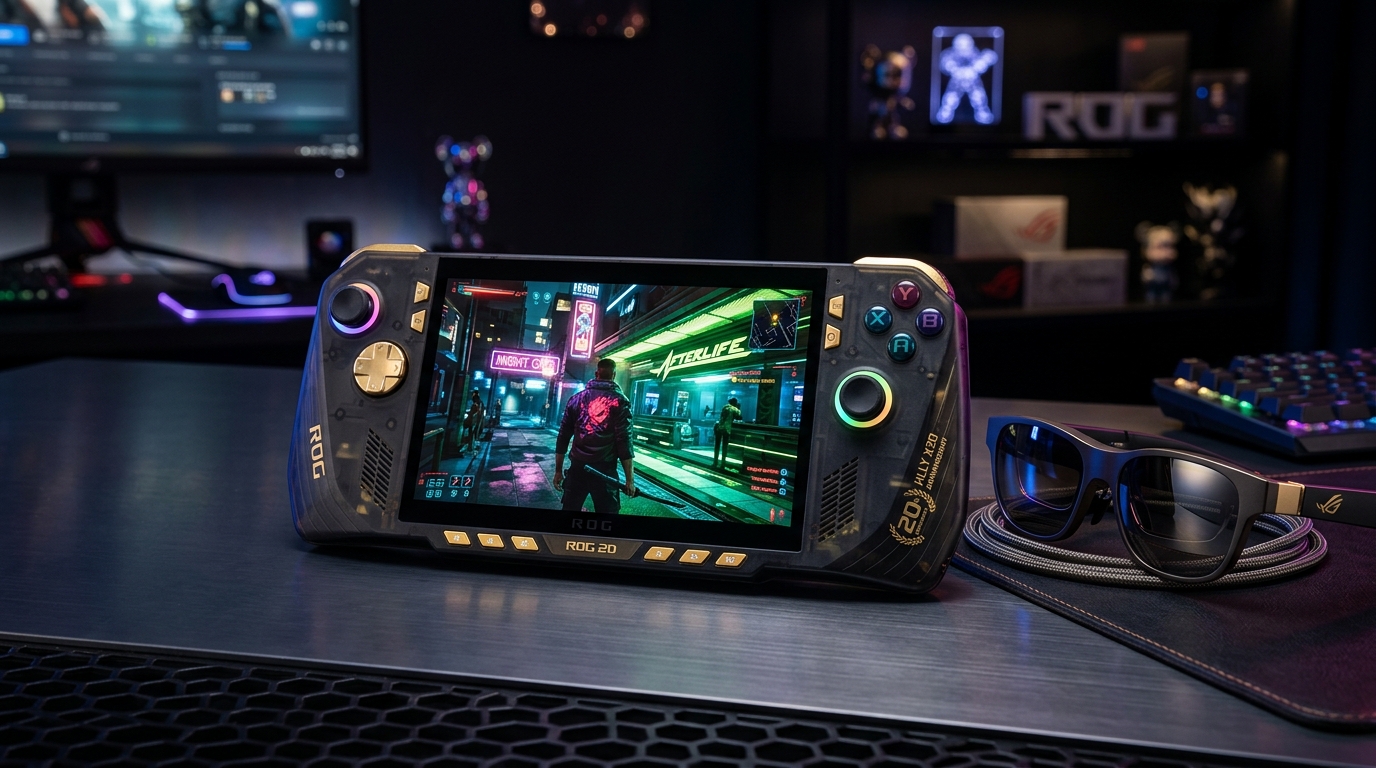
The X20’s Nebula HDR OLED at 1400 nits is the brightest and most capable display in any gaming handheld announced for 2026.
For current ROG Ally owners: the existing ROG Ally Optimization Guide remains fully applicable to the standard Ally and Ally X. The X20 will use the same Armoury Crate workflow with Z2 Extreme-specific additions.
Confirmed specs
| Spec | ROG Ally X20 |
|---|---|
| APU | AMD Ryzen AI Z2 Extreme |
| RAM | 24 GB LPDDR5X |
| Storage | 1 TB PCIe 4.0 NVMe |
| Display | 7.4” Nebula HDR OLED |
| Refresh rate | 120Hz, FreeSync Premium Pro (VRR) |
| Peak brightness | 1,400 nits |
| Response time | 0.2ms |
| HDR | VESA DisplayHDR 1000, Dolby Vision |
| Glass | Corning DXC, 65% anti-reflective |
| Joysticks | TMR (drift-resistant Hall Effect replacement) |
| D-Pad | Transforming D-Pad (Xbox-inspired) |
| Bundle | ROG XREAL R1 Edition 20 AR Glasses |
| OS | Windows (expected) |
| Price | ~$2,000+ (bundle estimate) |
| Release | H2 2026 |
The OLED upgrade and what it means for gaming
The X20’s OLED panel is the most significant spec leap from the standard Ally X:
- 1,400 nits peak brightness — outdoor visibility and HDR highlights that IPS can’t match
- 0.2ms response time — negligible pixel response vs. the ~4–7ms on IPS handhelds
- True blacks — OLED turns off pixels in dark scenes; contrast in dark games (RPGs, horror, PoE2-style ARPGs) is vastly superior
- 120Hz vs 144Hz — a step down from some competitors’ 144Hz panels, but the OLED quality more than compensates
The smaller 7.4-inch screen (vs. 8.8-inch on Legion Go 2 / MSI Claw 8 EX) is easier to drive at high FPS from the same Z2 Extreme APU — fewer pixels per frame means better performance per watt.
AMD Ryzen AI Z2 Extreme — what to expect
The Z2 Extreme improves on the Z1 Extreme in several key areas:
- GPU: AMD RDNA 4 architecture (vs RDNA 3 on Z1 Extreme) — estimated 30–50% iGPU performance improvement
- CPU: Zen 5 cores — better IPC and efficiency
- NPU: up to 50 TOPS — powers AMD Auto SR
- AMD Auto SR: driver-level AI upscaling without per-game integration — applies to any title automatically
In practical terms: games that were GPU-bottlenecked on the original Ally at 1080p/60FPS should run comfortably at 80–100 FPS on the X20, opening up a higher frame cap tier on battery.
What optimization will look like
Based on the Z2 Extreme and Armoury Crate continuity from the original Ally X, expect:
TDP management (Armoury Crate)
Same workflow as the current ROG Ally — Silent / Performance / Turbo modes plus Custom TDP per watt. The Z2 Extreme’s efficiency is improved, so the Balanced mode should deliver meaningfully more FPS at the same power than the Z1 Extreme.
AMD Auto SR
Expect Auto SR to be the default upscaling path on the X20. Unlike FSR which requires a res dropdown in-game, Auto SR is applied at the driver level — every game gets it automatically. Initial reports from desktop Z2 Extreme systems suggest quality comparable to FSR Quality mode.
VRR on OLED
OLED + FreeSync Premium Pro is the best VRR combination in the handheld space. VRR on an OLED panel eliminates both tearing and the slight panel-level motion blur of IPS at variable refresh rates. Set it up the same way as on the current Ally: cap frame rate, enable FreeSync in Armoury Crate and in-game.
Timer resolution (Windows)
The X20 runs Windows (same as current Ally), so Tier1Suite applies directly — timer resolution will improve frame pacing on the X20 exactly as it does on all Windows handhelds.
AR glasses bundle
The ROG XREAL R1 Edition 20 AR Glasses are the premium differentiator in the bundle — they overlay a virtual screen in your field of view when connected. For gaming, think of them as a portable private display rather than a game-changing input device. The X20’s USB4 ports power and connect them directly.
Compared to the competition
| Device | APU | Display | OS | Battery | Est. Price |
|---|---|---|---|---|---|
| ROG Ally X20 | Z2 Extreme | 7.4” OLED 120Hz | Windows | TBA | ~$2,000+ |
| Legion Go 2 | Z2 Extreme | 8.8” OLED 144Hz | SteamOS | 74Wh | $1,199 |
| MSI Claw 8 EX AI+ | Arc G3 Extreme | 8” IPS 120Hz | Windows | 80Wh | $1,500 |
| ROG Ally X (current) | Z1 Extreme | 7” IPS 120Hz | Windows | 65Wh | ~$799 |
The X20 occupies the ultra-premium tier — a smaller, brighter display at the highest price point. The Legion Go 2 is the value pick in the 2026 OLED handheld generation.
Should you wait for the X20?
- Wait if: you want the best display quality in any handheld, AR glasses integration, and premium build. The OLED + 1,400 nits combination is genuinely best-in-class.
- Don’t wait if: you need a handheld now. The current ROG Ally X offers similar performance and the X20’s H2 2026 release window means several more months at minimum.
- Consider the Legion Go 2 ($1,199) if you want OLED now at $800 less, with an 8.8-inch panel and SteamOS’s better battery management.
Related guides
- ROG Ally Optimization Guide
- ROG Ally Stretched Resolution Guide
- Legion Go 2 Optimization Guide
- MSI Claw 8 EX AI+ Optimization Guide
- DLSS vs FSR vs XeSS for Gaming
The ROG Ally X20’s OLED display at 1,400 nits and drift-resistant TMR joysticks make it the premium handheld to watch for H2 2026. Optimization will follow the current Ally’s Armoury Crate workflow with AMD Auto SR as the new upscaling default. Check back when it launches for the full hands-on guide.
Frequently asked questions
When does the ROG Ally X20 come out?
ASUS announced the ROG Ally X20 at Computex 2026 in June 2026 and confirmed a second-half 2026 release window. No specific date has been given. It will launch bundled with the ROG XREAL R1 Edition 20 AR Glasses, with the bundle price expected to exceed $2,000.
What display does the ROG Ally X20 have?
The ROG Ally X20 features a 7.4-inch Nebula HDR OLED display with 120Hz refresh rate, FreeSync Premium Pro (VRR), 1400 nits peak brightness, VESA DisplayHDR 1000, Dolby Vision, 0.2ms response time, and Corning DXC anti-reflective glass. This is the first OLED panel in the ROG Ally lineup.
Is the ROG Ally X20 better than the Legion Go 2 and MSI Claw 8 EX AI+?
The X20 uses the same AMD Ryzen AI Z2 Extreme as the Legion Go 2, so raw GPU performance is similar. The X20's OLED display is smaller (7.4-inch vs 8.8-inch) but brighter (1400 nits). The X20 comes with Windows, while the Legion Go 2 ships with SteamOS. The MSI Claw 8 EX uses Intel Arc G3 Extreme and has the largest battery (80Wh). The X20's key differentiator is the premium display and the 20th anniversary edition build quality.
What is AMD Auto SR on the ROG Ally X20?
Auto SR (Automatic Super Resolution) is AMD's AI-based upscaling that works at the driver level without requiring per-game developer integration. On the Z2 Extreme, it uses the APU's NPU to upscale any game automatically — similar to NVIDIA's RTX VSR. It's the Z2 Extreme's answer to Intel's XeSS driver-level upscaling. Expect it to deliver meaningfully better image quality than FSR at equivalent render resolutions.
Will the ROG Ally X20 work with existing ROG Ally accessories?
The X20 is physically slightly different from the standard ROG Ally due to its larger 7.4-inch display. Most ROG Ally accessories designed for the 7-inch panel may not be a perfect fit. ASUS typically releases companion cases and accessories alongside new models — check compatibility before purchasing existing Ally accessories for the X20.