Path of Exile 2 Stuttering Fix: Stop FPS Drops and Hitching
Published
On this page
Path of Exile 2 is the fastest-growing game on Steam in mid-2026, and its endgame builds push screen-filling particle effects that would challenge any GPU. But most stutter isn’t hardware — it’s a default setting called Dynamic Resolution and a shader cache that’s too small. Fix those first.
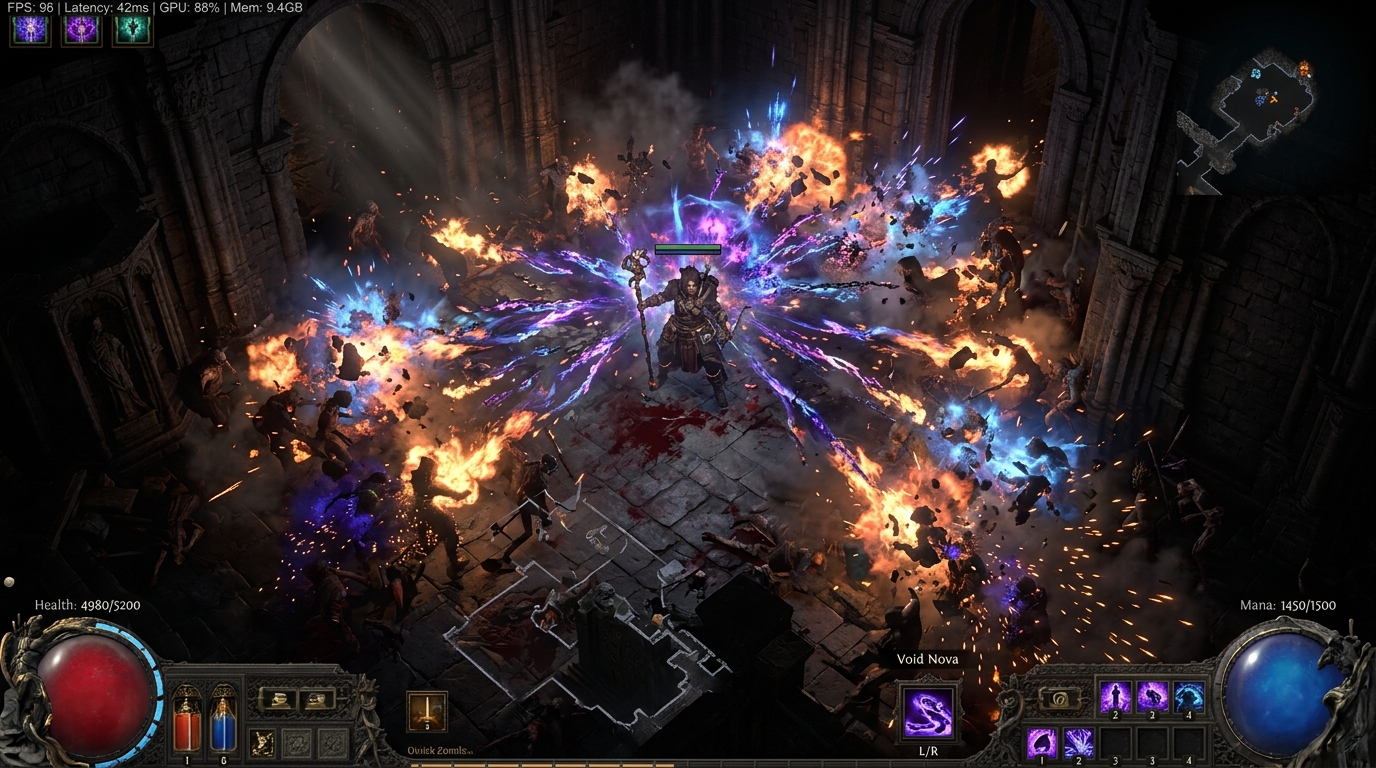
PoE2’s endgame screen-clearing builds generate hundreds of simultaneous effects. Half the stutter isn’t GPU limits — it’s Dynamic Resolution and an evicted shader cache.
Fix 1 — Disable Dynamic Resolution immediately
Dynamic Resolution is enabled by default in Path of Exile 2. It constantly scales render resolution up and down to hit a frame time target, and the constant switching causes a distinctly hitchy, inconsistent feel — even on high-end hardware.
Options → Graphics → Dynamic Resolution → Off
This is the single most impactful change for most players. Disable it before anything else.
Fix 2 — Increase shader cache size to 100 GB
PoE2 has a massive variety of enemy types, skill effects, and environments. If the GPU shader cache is too small, shaders get evicted and recompiled every time a new effect appears — producing hitching that never fully resolves.
NVIDIA
- NVIDIA Control Panel → Manage 3D Settings → Global Settings.
- Shader Cache Size → 100 GB (or Unlimited).
AMD
- AMD Software → Settings → Graphics → Shader Cache Size.
- Set to a large value or disable size limits.
After changing this, delete PoE2’s existing shader cache (found in %AppData%\Path of Exile 2\ or the game directory) so it rebuilds fresh with the new size limit.
Fix 3 — Choose the right renderer
Path of Exile 2 supports DirectX 11, DirectX 12, and Vulkan.
Options → Graphics → Renderer
| Renderer | Best for |
|---|---|
| DX12 | Ryzen 5000+ or Intel 12th-gen+: +8–15 FPS in CPU-heavy endgame |
| Vulkan | Lower CPU overhead; try if DX12 hitches on your system |
| DX11 | Most stable on older hardware; fewest API-level surprises |
The recommendation: try DX12 first if you have a modern CPU. If hitching is worse than DX11, switch to Vulkan. If Vulkan is worse than DX11, stay on DX11. Play at least two endgame maps before drawing a conclusion — the first map per session can hitch regardless of renderer due to cache warmup.
Fix 4 — Eliminate GPU-bound frame drops: key settings
| Setting | Change | Impact |
|---|---|---|
| Lighting Mode | Shadows Only (not Shadows + GI) | ~17–32% FPS gain — single biggest setting |
| Particle Quality | Medium → Low | Critical for endgame builds with dense effects |
| Ambient Occlusion | Off | High cost, low visual return in PoE2’s dark areas |
| Shadow Quality | Medium | Reduce if still GPU-bound |
| Dynamic Resolution | Off | Already covered in Fix 1 |
| Anti-Aliasing | FXAA or Off | TAA adds blur on PoE2’s fast-moving projectiles |
Lighting Mode is the highest-impact single setting in PoE2 — the difference between Shadows + GI and Shadows Only is larger than any other individual option.
See the full settings guide at Path of Exile 2 Best Settings for FPS.
Fix 5 — Fix lockstep network stutter
PoE2 uses a lockstep simulation model: the client and server advance in lockstep, and any network delay causes the local game to pause and resync. This produces stutter that is indistinguishable from GPU stutter — but isn’t solved by any graphics setting.
Signs it’s network stutter:
- Hitching happens on a consistent interval (every ~1–2 seconds)
- It correlates with high ping spikes in the client HUD
- It occurs on specific servers but not others
- It happens during busy trade league even on high-end hardware
Fixes:
- Wired Ethernet instead of Wi-Fi — eliminates radio interference jitter.
- Select the nearest game server in PoE2 options.
- Close bandwidth-heavy apps (browsers, streaming, update clients) during play.
- Check for router packet loss: How to Fix High Ping and Packet Loss.
Fix 6 — Install PoE2 on an NVMe SSD
Zone transitions in PoE2 involve streaming in new environment tiles, monsters, and shaders. On a hard drive this takes noticeably longer and causes zone-entry hitches. On an NVMe SSD, zone loading is fast enough that the hitch is imperceptible. Even a mid-range NVMe (not just SATA SSD) makes a measurable difference.
Fix 7 — GPU driver and power
- Install the latest stable GPU driver. PoE2 is updated frequently and new driver versions often include per-game optimizations.
- NVIDIA: Low Latency Mode → Ultra, Power Management → Prefer Maximum Performance.
- AMD: Anti-Lag → On, Power → Performance.
- Windows Power Plan → High Performance.
Fix 8 — Check for bottleneck
PoE2’s endgame is CPU-intensive — hundreds of projectiles and enemies are simulated simultaneously. If your GPU is underloaded but FPS is dropping, you’re CPU-bound. Signs: GPU usage below 90% during a drop, CPU usage pegged at 100%.
See How to Check for a CPU or GPU Bottleneck. If CPU-bound, switching to DX12 (Fix 3) and enabling XMP/EXPO for your RAM are the most accessible gains.
Quick-reference checklist
- Dynamic Resolution: Off (Options → Graphics)
- Shader Cache Size: 100 GB in GPU driver panel, delete old cache
- Renderer: DX12 (test vs Vulkan vs DX11)
- Lighting Mode: Shadows Only
- Particle Quality: Low (endgame)
- Ambient Occlusion: Off
- GPU driver: latest stable
- Power Plan: High Performance
- Network: wired, nearest server selected
- PoE2 installed on NVMe SSD
Related guides
- Path of Exile 2 Best Settings for FPS
- How to Fix High Ping and Packet Loss
- How to Enable XMP or EXPO for Gaming
- How to Check for a CPU or GPU Bottleneck
- Clear Shader Cache to Fix Stuttering
Disable Dynamic Resolution, increase shader cache to 100 GB, pick DX12 or Vulkan, and drop Lighting Mode to Shadows Only. Those four changes alone clear the stutter for the vast majority of Path of Exile 2 players — without touching hardware.
Frequently asked questions
Why does Path of Exile 2 stutter even with a powerful PC?
The two most common culprits are Dynamic Resolution (enabled by default — it constantly adjusts render resolution on the fly, causing hitching) and a shader cache that's too small (which causes the GPU to recompile shaders every time a new monster or spell effect appears). Disabling Dynamic Resolution and increasing the shader cache size to 100 GB in your GPU driver panel solves the majority of PoE2 stutter.
How do I disable Dynamic Resolution in Path of Exile 2?
Go to Options → Graphics → Dynamic Resolution → Off. This is enabled by default in PoE2 and is the single biggest cause of hitching for players who haven't changed their default settings. Once disabled, the game renders at a fixed resolution and eliminates the constant resolution-switch stutter.
Should I use DirectX 12 or Vulkan in Path of Exile 2?
Test both on your system. DX12 improves multi-core CPU utilization (add +8–15 FPS on Ryzen 5000+ and Intel 12th-gen or newer in CPU-heavy endgame scenarios). Vulkan tends to have lower CPU overhead but more driver-level stutter on some configurations. Start with DX12, and switch to Vulkan if you see repeated hitching in DX12 that Vulkan doesn't reproduce.
Why does Path of Exile 2 stutter when my connection is fine?
PoE2 uses lockstep networking — your client waits for server confirmation before advancing game state. Any network jitter (even brief packet delays) causes the local simulation to pause and catch up. This looks exactly like GPU stutter but is network-caused. Use a wired connection, check your router for packet loss, and see the network fix steps below.
Why does Path of Exile 2 stutter when I first enter an area?
Zone entry triggers asset streaming and shader compilation for new enemies and environments. This is a one-time cost per zone — subsequent entries to the same zone are faster. Installing PoE2 on an NVMe SSD dramatically reduces zone-load hitches compared to a SATA SSD or HDD.