Unleash Peak PC Performance: How AI Can Supercharge Your Gaming Rig
Updated Published
On this page
The quest for smoother gameplay usually means endless manual tweaking. OptimaTune takes a different approach: it uses AI to analyze your specific hardware and tell you exactly what’s holding your rig back.
Download and discover
Download OptimaTune from the official website. The tool starts by running a thorough analysis of your PC’s components, building a clear picture of your current setup.
AI-powered analysis
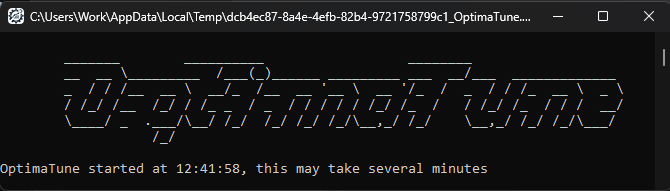
Once your system’s specs are gathered, OptimaTune uses an advanced GPT model to analyze them. The AI identifies the strengths and weaknesses of your build — insights that go beyond what standard diagnostic tools report.
Personalized recommendations
Instead of generic advice, OptimaTune suggests upgrades and optimizations specific to your setup — whether that’s a GPU upgrade, RAM tuning, or settings changes — and guides you through each step.
Detailed breakdown
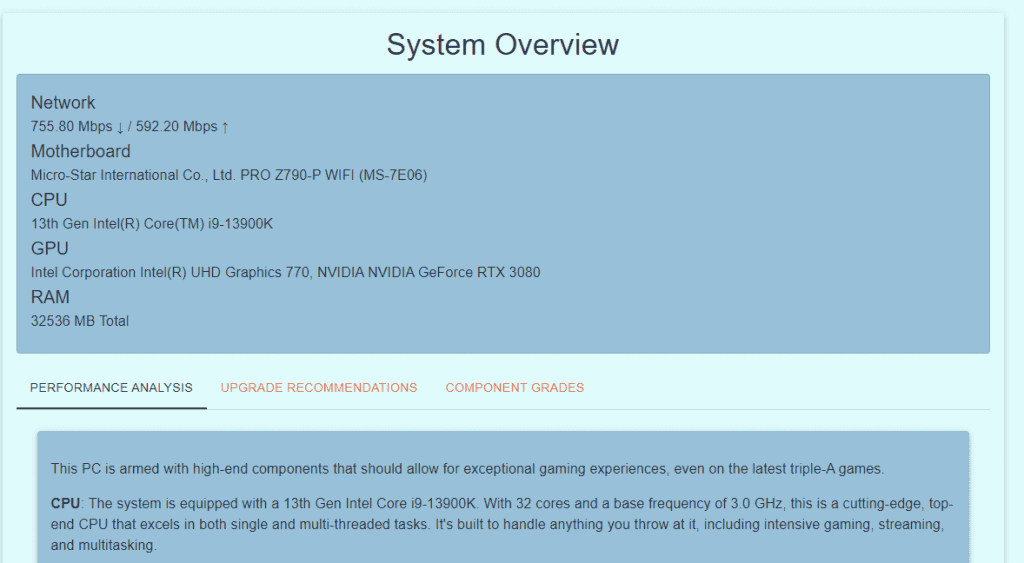
The report explains how each component contributes to your gaming experience, so you can make informed upgrade decisions instead of guessing. View an example report here.
Conclusion
OptimaTune tells you what to fix; pairing it with the right tuning gets you the rest of the way:
- Testing PC components using benchmarking tools — verify the weak spots it finds
- Tier1Suite — free Windows timer resolution optimizer for lower input delay
- Best GPU overclock guide for gaming
Frequently asked questions
What is OptimaTune and how does it work?
OptimaTune uses AI (GPT) to analyze your PC's components and identify strengths and weaknesses. It then suggests personalized upgrades and settings changes specific to your exact build instead of generic advice.
How does OptimaTune identify what's limiting my gaming performance?
OptimaTune scans your hardware specs, then uses AI analysis to determine which components contribute most to bottlenecks. The report explains each component's role so you can make informed upgrade decisions.
Does OptimaTune provide generic or personalized recommendations?
Fully personalized. Instead of one-size-fits-all advice, OptimaTune analyzes your specific CPU, GPU, RAM, and storage to suggest the exact upgrades and settings changes that will actually improve your rig.
What can OptimaTune recommend besides hardware upgrades?
OptimaTune also recommends settings optimizations and tweaks tailored to your build. These can include RAM tuning, GPU settings, and Windows optimizations that work specifically for your components.
How do I use OptimaTune's recommendations?
Download OptimaTune from optimatune.com, run a system analysis, review the personalized report, then follow the recommended steps. Pair it with benchmarking and tools like Tier1Suite for comprehensive optimization.