The Top 5 Best Monitors for Gaming in 2023
On this page
The right monitor can make all the difference — lightning-fast refresh rates, color accuracy, and low input lag directly improve your gameplay. Here are the top 5 gaming monitors of 2023, balancing performance and value. (Prices are from time of writing.)
1. Sceptre Curved 24.5-inch Gaming Monitor (C255B-FWT240)
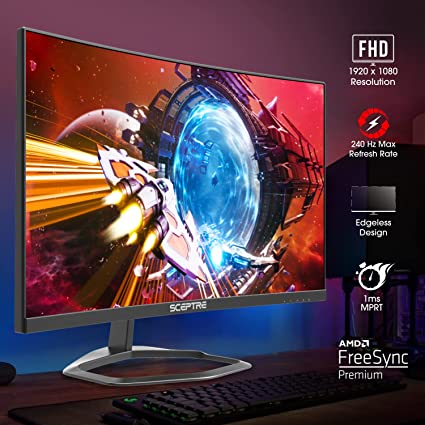
A brilliant choice for performance on a budget at $162.56. The rapid 240Hz refresh rate ensures seamless gameplay, the 1ms response time eliminates ghosting, and the 1500R curvature pulls you into the action. AMD FreeSync Premium removes tearing without input-lag-inducing V-Sync, and built-in speakers round it out for work and gaming alike.
Sceptre Curved 24.5-inch Gaming Monitor on Amazon
2. Dell 240Hz Gaming Monitor (S2522HG)
At $203, this 24.5-inch monitor offers an impressive 240Hz refresh rate and 1ms GtG response time for consistent, smooth performance in high-speed gameplay. Its IPS panel delivers impressive clarity and consistent colors from every angle, and Dell’s 3-year Advanced Exchange Service and Premium Panel Exchange warranty make it a reliable investment.
Dell 240Hz Gaming Monitor on Amazon
3. Acer Nitro XZ270 Xbmiipx 27” Gaming Monitor
A 27-inch Full HD curved monitor at $199. Adaptive-Sync, a 240Hz refresh rate, and 1ms VRB response time keep gameplay smooth and lag-free, while the tilt- and swivel-adjustable stand stays comfortable through long sessions.
4. Alienware AW2523HF Gaming Monitor
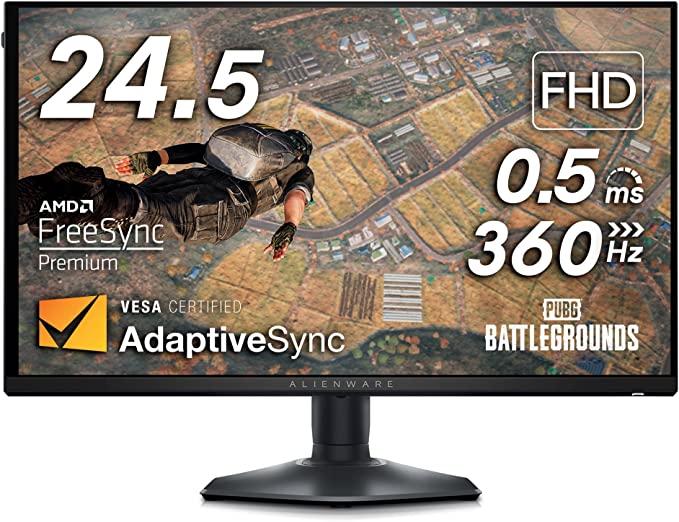
For gamers seeking maximum performance at $391: a 24.5-inch 360Hz display with AMD FreeSync for the smoothest experience on this list. Height, tilt, swivel, and pivot adjustments make it fit any setup. This is the competitive pick.
5. Z-Edge UG24 24-inch Curved Gaming Monitor
The value pick at $149: 1650R curvature and a 180Hz refresh rate virtually eliminate tearing and stutter, with HDR support and crisp FHD 1080P images for immersive gameplay on a budget.
After you buy
Any of these will sharpen your visuals and cut response times — but only if it’s set up right. Out of the box, monitors often run at 60 Hz with lag-adding processing enabled. Follow How to optimize your monitor for gaming to set the real refresh rate and minimize input delay, and pair it with Tier1Timer for system-level latency reduction.